10 Best Digital Notepads of 2026, E-Ink Tablets, Smart Pens and LCD Pads Compared
My desk is a graveyard of half-used notebooks, which is exactly the problem a digital notepad is meant to solve. After weeks with roundups, spec sheets and amazon.co.uk listings, the best digital notepad for most people is the reMarkable 2, a paper-feel E Ink tablet that converts handwriting to typed text and lets you write straight onto PDFs.
I didn't test these hands-on, and I flag which picks have reviewer backing and which are judged on their listings. This list is writing-first: E Ink note tablets, smart pens that copy paper notes to your phone, reusable notebooks and cheap LCD pads that wipe clean. If reading books is your main goal, an e-reader is the better buy.
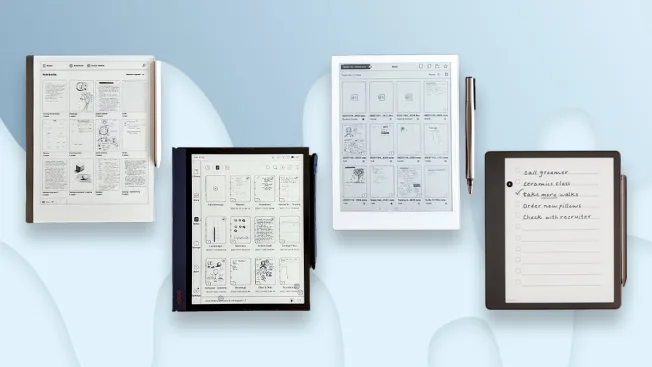

- Natural writing feel: Paper-like E Ink with no backlight. Listed pen latency of 21 ms.
- Roomy writing space: A large Carta 1.2 E Ink screen. Plenty of room for full pages.
- Suits study and work: A notebook per client or project. Practically unlimited pages and folders.
- Useful note tools: Converts handwriting to typed text. Undo, erase and move tools too.
- Easy to carry: Just 4.7 mm thin and 403.5 g. Slides into a laptop sleeve.
- Reads PDFs and ebooks: Write directly on PDFs. EPUB ebooks are supported as well.
- Marker sold separately: The box contents say the Marker isn't included. Budget for one.

- Natural writing feel: Pen Plus stylus included. Magnetic stylus plus capacitive touch.
- Roomy writing space: A large Kaleido 3 glass screen. 300 ppi for black-and-white notes.
- Suits study and work: Android with Google Play for work apps. Dual speakers and a microphone.
- Useful note tools: 6GB of RAM and 64GB of storage. A microSD slot adds more.
- Easy to carry: 5.8 mm thin with a fingerprint power button. Weighs 440 g.
- Reads PDFs and ebooks: Opens PDF, EPUB, DOCX, CBZ and more. Warm and cold front light.
- Heavier and fiddlier: At 440 g it outweighs the reMarkable 2. Android needs setting up.

- Natural writing feel: Listed 23ms writing latency. Pen included in the box.
- Roomy writing space: A 21.6 cm E Ink screen at 300 ppi. 24-level adjustable light.
- Suits study and work: Real-time voice-to-text for meetings and lectures. No subscription, says the listing.
- Useful note tools: Star and triangle symbols create to-do lists. OneDrive support for documents.
- Easy to carry: About 230 g and 4.2 mm thin. The lightest tablet here.
- Mixed reviewer view: The one roundup that mentioned it didn't recommend it.

- Natural writing feel: Real pen on real-feeling pages. A Pilot FriXion pen is included.
- Roomy writing space: A5 lined pages, 36 of them. Wipe clean and start again.
- Suits study and work: Built for lecture notes and business plans. Made for students and professionals.
- Useful note tools: The Rocketbook app scans pages to Google Drive, OneNote or Dropbox.
- Easy to carry: Weighs 0.18 kg with a soft cover. Disappears into a laptop bag.
- Scan every page: Nothing goes digital until you photograph each page in the app.

- Natural writing feel: Ink on 100 g/m² acid-free paper. The most familiar feel here.
- Roomy writing space: Large 13 x 21 cm lined pages. Hard cover with elastic closure.
- Suits study and work: Good for sketches and projects. Pages appear in Moleskine's app in real time.
- Useful note tools: The Pen+ Ellipse sends each page over Bluetooth. Edit and share afterwards.
- Easy to carry: A notebook and pen that fit any work bag. Pen lasts up to 10 hours.
- Special notebooks only: The digital copy only works with Moleskine's smart notebooks.
- Older design: On sale since 2022, so this isn't a new release.

- Natural writing feel: Wacom digitiser and stylus in the box. Precise for writing and sketching.
- Roomy writing space: A large Kaleido 3 screen with 4096 colours. Roomy for marked-up pages.
- Suits study and work: Reviews PDFs and textbooks in colour. Text-to-speech reads documents aloud.
- Useful note tools: 32GB plus microSD. Opens EPUB, PDF, DOCX, FB2, CBR and CBZ.
- Heavy at 713 g: Listed at 713 g, so it's a desk device more than a bag one.
- Listing-only pick: No roundup we read covered it. Judged on its listing.

- Natural writing feel: 750 μm pen-to-ink distance and 1024 pressure levels. Close to paper.
- Roomy writing space: A Carta 1300 screen slightly larger than the reMarkable 2's. 300 ppi.
- Suits study and work: PDF review, meeting notes and a daily planner. Built for focused work.
- Useful note tools: AI tools summarise, translate and organise notes. Handwriting-to-text included.
- No front light: The screen relies on room light, so no reading in the dark.
- Thin evidence: One roundup mentioned it as an option, without a full review.

- Natural writing feel: A stylus with 8192 pressure levels. It never needs charging.
- Roomy writing space: A large Kaleido 3 colour screen. Warm and cold reading light.
- Suits study and work: Split-screen reading and note-taking. Handy for studying from PDFs.
- Useful note tools: Voice-to-text, handwriting recognition and note summaries. Fast sharing too.
- Easy to carry: Folio cover and spare nibs in the bundle. Ready to carry from day one.
- Box list conflict: The listing's two box-contents lists don't match. Check what arrives.
- First-generation model: A 2024 first-generation tablet with no reviewer coverage we found.

- Natural writing feel: Write in real ink on the notebook. Or use the plastic tip.
- Roomy writing space: A dot-code notebook plus a large LCD writing tablet in one box.
- Suits study and work: Ideal for lectures and meetings. Notes link to audio your phone records.
- Useful note tools: OCR turns handwriting into text. Export as Word, PDF, PNG or MP4.
- Easy to carry: The pen stores up to 1,000 pages offline. Syncs when you reconnect.
- Phone required: Needs iOS 16 or Android 12 and the Ophaya app.
- LCD isn't a screen: The LCD tablet can't display app content. It only captures writing.

- Natural writing feel: Pressure-sensitive writing with the included stylus. Feels much like a pen.
- Roomy writing space: A large LCD writing surface. Space for sums, lists and doodles.
- Suits study and work: Handy for shopping lists and homework. Kids can doodle freely too.
- Useful note tools: One button clears the board. An interlock switch prevents accidental wipes.
- Easy to carry: 345 g and runs on a coin cell. Months of use per battery.
- Can't save notes: Nothing is stored or synced. Clearing the board loses everything.
- Thin listing: Very few details are listed beyond the basics.
- No backlight listed: Nothing in the listing suggests you can use it in the dark.
More Smart Notebooks and LCD Pads Worth Considering

- A big screen for drawing and notes.
- The lock stops accidental wipes.
- Suits children as well as adults.
- Can't save anything you write.
- A toy-style listing with few specs.

- Slips into any bag or pocket.
- One-tap erase.
- The battery is replaceable.
- A small writing area.
- No saving or syncing.
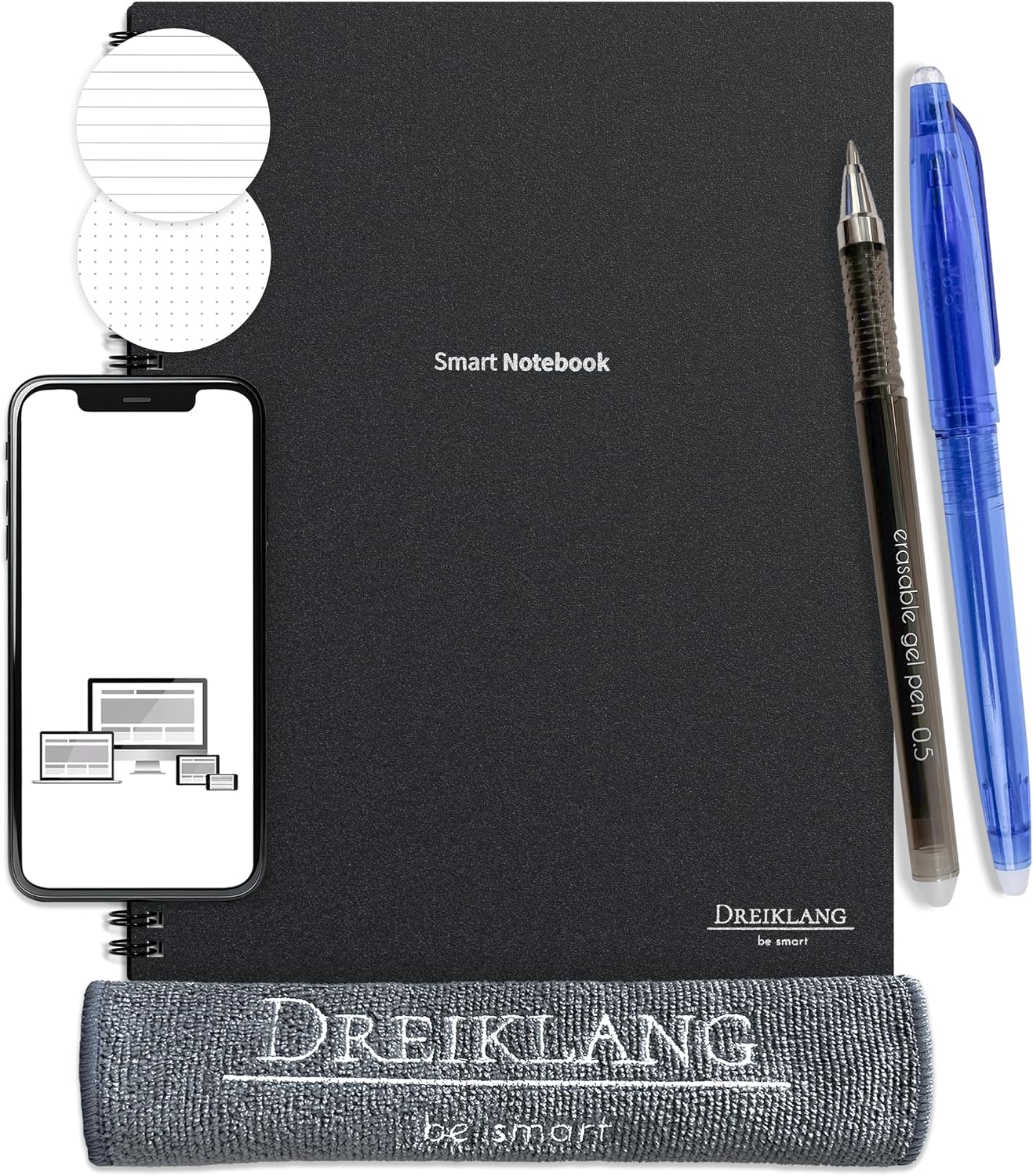
- Lined and dotted pages plus planner pages.
- Scan with any compatible phone app.
- Cloth, sticky notes and two pens included.
- No dedicated app of its own.
- A4 is bulky for a small bag.

- A magnetic eraser tip for spot fixes.
- A lock keeps notes intact.
- A pen loop and case included.
- No saving or syncing.
- A small screen for long notes.
In-Depth Reviews of Our 10 Digital Notepad Picks
How each one handles writing, getting notes off the device and carrying it about, plus where each falls short.
#1 · Editor's Choice
reMarkable 2 E Ink Paper Tablet
Writing is the whole point of the reMarkable 2, and it shows. Its Carta 1.2 E Ink screen (226 ppi) has no backlight, the listed pen latency is 21 ms, and the tablet is 4.7 mm thin. You can write on PDFs, read EPUBs, convert handwriting to typed text and keep a notebook per client or project, with phone and laptop apps for getting notes off it. One roundup named it the best-value writing tablet. Two things to know, though. The box contents say the Marker isn't included, so budget for one, and there's no colour or front light, unlike the Boox Note Air6 C. reMarkable also sells a Connect subscription, so check which sync features need it.
The verdict: The best digital notepad for most people, once you've added a pen.
#2 · Runner-Up
Boox Note Air6 C Colour E Ink Tablet, 6GB 64GB
If you want one device for notes, textbooks and the odd novel, look here. The Note Air6 C pairs a Kaleido 3 colour glass screen (300 ppi in black and white, 150 ppi in colour) with a warm and cold front light, 6GB of RAM, 64GB of storage and a microSD slot. The Pen Plus stylus is in the box, and Android with Google Play lets third-party apps sit beside Boox's own. One roundup listed it as the successor to an earlier pick. The trade-offs are weight and fuss: at 440 g it's heavier than the reMarkable 2, and Android takes more setting up than a writing-only tablet.
The verdict: The most flexible tablet here, if you'll use the apps.
#3 · Best for Meetings
iFLYTEK Ainote Air 2 E Ink Note-Taking Tablet with Pen
Meetings are where this one earns its place. The Ainote Air 2 records and transcribes speech in real time, and the listing says that needs no subscription. It has a 21.6 cm E Ink screen at 300 ppi, a pen in the box, a 24-level light, 32GB of local storage plus 100GB of cloud space, and OneDrive support. At about 230 g and 4.2 mm thin, it's the lightest tablet in our ten. Now the awkward part: the one roundup that mentioned it didn't recommend it, and transcription accuracy is something I can only take on the listing's word. I'd want a quiet room before trusting it with minutes.
The verdict: Strong on paper for meeting notes, but weakly backed by reviewers.
#4 · Best Budget
Rocketbook Core Reusable Smart Notebook, A5 Lined
Buy this if you like a real pen on a page but hate losing the page. The Core A5 has 36 reusable lined pages and a Pilot FriXion pen. You write, scan each page with the Rocketbook app to Google Drive, OneNote or Dropbox, then wipe it clean with a damp cloth; a cleaning wipe is in the box. Two of the roundups we read name it the budget smart-notebook pick, and at 0.18 kg it vanishes into a laptop bag. The downside is discipline: nothing goes digital until you photograph each page. The linked one is teal.
The verdict: The cheap, sensible way to see if digital notes suit you.
#5 · Best Pen and Paper
Moleskine Smart Writing Set, Smart Pen and Large Notebook
The Moleskine set feels the most like ordinary stationery. You get a large 13 x 21 cm lined Smart Notebook with a hard cover and elastic closure, plus the Pen+ Ellipse smart pen. As you write in ink, the pen sends each page to your phone over Bluetooth through Moleskine's app, and the listing quotes up to 10 hours of writing per charge. It has been on sale since 2022, so it isn't new, and the digital copy only works in Moleskine's smart notebooks. No roundup we read covered it.
The verdict: For people who want to keep writing in a proper notebook.
#6 · Best for Colour PDFs
PocketBook Color Note E Ink Tablet with Wacom Stylus, 32GB
Colour PDFs and marked-up textbooks are the job here. The Color Note has a Kaleido 3 screen with 4096 colours, a Wacom digitiser and stylus in the box, SMARTlight, text-to-speech and a built-in speaker, plus 32GB with microSD expansion. Formats run from EPUB and PDF to DOCX and CBZ. It's heavy, though. At 713 g it weighs far more than the Boox Note Air6 C, so think desk, not train. It turned up in none of our roundups, and the linked listing is the Stormy Sea finish.
The verdict: A colour reading-and-annotation tablet for the desk.
#7 · Largest E Ink Screen
Viwoods AiPaper AI E Ink Tablet Bundle with Pen
I'll be straight: this one has no front light at all. Viwoods designs the 300 ppi Carta 1300 screen for room or daylight, so it's an office and classroom device rather than a bedside one. Instead you get a screen slightly larger than the reMarkable 2's, a 750 μm pen-to-ink distance, 1024 pressure levels, and AI tools that summarise, translate and organise notes, alongside handwriting-to-text and a daily planner. The link is a bundle: tablet, W2 Stylus Pro, folio cover, five spare nibs and a USB-C cable. It weighs 370 g, and one roundup mentioned it as an option.
The verdict: A big, AI-assisted writing slate for well-lit rooms.
#8 · Best Value Colour
Penstar eNote Pro C Colour E Ink Notebook with Pen
Look, the Penstar listing reads like a wish list, so I've stuck to what it states plainly. There's a Kaleido 3 colour screen (300 ppi black-and-white, 150 ppi colour) plus warm and cold lighting, a stylus with 8192 pressure levels that needs no charging, voice-to-text, handwriting recognition, note summaries and split-screen reading. The bundle adds spare nibs and a magnetic folio cover, though the listing's two box lists don't agree. It's a 2024 first-generation model, and none of the roundups we read cover it.
The verdict: Plenty of features for the money, with a scrappy listing.
#9 · Best Smart Pen Set
Ophaya Smart Pen 3-in-1 Set with Notebook and LCD Tablet
This is three things in one box: a smart pen, a dot-code notebook and an LCD writing tablet. Write in ink on the notebook, or with the plastic tip on the LCD, and the pen syncs pages to the Ophaya app over Bluetooth, where OCR turns handwriting into text you can export as Word or PDF. Notes can link to audio your phone records, the pen stores up to 1,000 pages offline, and there's no subscription. Unlike the Moleskine set, you aren't stuck with paper. The LCD isn't a screen, though, and you'll need iOS 16 or Android 12.
The verdict: A clever bridge between paper and phone.
#10 · Best LCD Pad
Xiaomi Mi LCD Writing Tablet with Stylus
Judge this for what it is: a large LCD board you write on with the included stylus and clear with one button. There's a lock switch against accidental wipes, it runs on a coin cell, and it weighs 345 g. It can't save or send anything, so it suits shopping lists, sums and kids' doodles rather than meeting notes.
The verdict: A cheap scribble board, not a note system.
How We Researched and Scored These Digital Notepads
We didn't test these notepads hands-on or in a lab. The ranking is built from UK and international editorial roundups, manufacturer spec sheets and amazon.co.uk listings, checked against one another. The reMarkable 2, Rocketbook Core, Boox Note Air6 C and Viwoods AiPaper appear in roundups; the iFLYTEK Ainote Air 2 is mentioned in one without a recommendation, and the rest are judged on their listings. Where a listing contradicted itself, as with the reMarkable 2's battery figures, I left the number out.
The list mixes four kinds of product on purpose, because students and shopping-list scribblers need different things. The top ten keeps one model per brand, and four cheaper LCD pads and notebooks follow in the comparison grid.
What we compared for every notepad:
- Writing feel: pen latency, pressure levels and screen or paper type
- Writing space: screen or page size
- Getting notes out: handwriting-to-text, cloud sync, export formats and apps
- Whether a pen is included, and running costs such as nibs and refills
- Weight, thickness and what comes in the box
- Editorial backing versus listing-only evidence
How we weighted the scores:
- Writing feel and screen (30%): latency, pen and surface
- Getting notes out (25%): conversion, sync and export
- Portability (15%): weight, size and build
- Running costs and extras (10%): pens, nibs and subscriptions
- Evidence (20%): editorial coverage versus listing claims
What to Look For in a Digital Notepad
First, pick the type. E Ink note tablets (the reMarkable 2, Boox, iFLYTEK, PocketBook, Viwoods and Penstar) store everything and feel closest to paper. Smart pen sets such as the Moleskine and Ophaya capture ink from special notebooks. Reusable notebooks like the Rocketbook Core and Dreiklang use wipeable pages you scan with your phone. LCD writing tablets such as the Xiaomi are cheap scribble boards that mostly can't save anything; the Ophaya's LCD only syncs because its smart pen does the recording.
Next, check how notes leave the device. Handwriting-to-text, PDF export and cloud sync matter more than specs once the novelty fades. Watch for subscriptions too: iFLYTEK and Ophaya say theirs need none, while reMarkable sells a Connect plan, so check which features it covers before you buy.
For students, PDF annotation and a light tablet beat AI extras, and the Rocketbook Core is a cheap way to try the habit. For work, meeting transcription on the iFLYTEK or Penstar, or synced audio on the Ophaya, can replace a separate recorder. Budget for nibs, refills and, on the reMarkable 2, the pen itself.
On budget, the LCD pads, Rocketbook and Dreiklang sit at the cheap end, the Ophaya set is mid-range, and the Moleskine and every E Ink tablet are premium buys. I still keep a paper pad by the keyboard for phone numbers (old habits), but for meeting notes that need to end up on a laptop, buy the reMarkable 2 and call it a day.
Key Specs Compared
| Product | Screen or Page | Storage | Pen | Our Score |
|---|---|---|---|---|
| reMarkable 2 E Ink Paper Tablet | 26.2 cm E Ink Carta 1.2, 226 ppi | 8GB | Marker not included | 9.8 |
| Boox Note Air6 C Colour E Ink Tablet, 6GB 64GB | 26.2 cm E Ink Kaleido 3 colour, 300 ppi B/W / 150 ppi colour | 6GB RAM / 64GB storage | Pen Plus included | 9.7 |
| iFLYTEK Ainote Air 2 E Ink Note-Taking Tablet with Pen | 21.6 cm E Ink, 300 ppi | 32GB | Pen included | 9.5 |
| Rocketbook Core Reusable Smart Notebook, A5 Lined | A5, 36 reusable pages | Not listed | Pilot FriXion pen included | 9.4 |
| Moleskine Smart Writing Set, Smart Pen and Large Notebook | Paper Tablet, large 13 x 21 cm, lined | Not listed | Moleskine Pen+ Ellipse smart pen | 9.2 |
| PocketBook Color Note E Ink Tablet with Wacom Stylus, 32GB | 26.2 cm E Ink Kaleido 3 colour | 32GB | Wacom stylus included | 9.0 |
| Viwoods AiPaper AI E Ink Tablet Bundle with Pen | 27 cm E Ink Carta 1300, 300 ppi | Not listed | W2 Stylus Pro included | 8.8 |
| Penstar eNote Pro C Colour E Ink Notebook with Pen | 26.2 cm colour E Ink | 128GB Storage (listing highlight) | Stylus included | 8.6 |
| Ophaya Smart Pen 3-in-1 Set with Notebook and LCD Tablet | 25.4 cm LCD writing tablet | Up to 1,000 pages in the pen | Smart pen with OCR handwriting to text | 8.4 |
| Xiaomi Mi LCD Writing Tablet with Stylus | 34.3 cm LCD writing surface | Not listed | Stylus included | 8.3 |
Frequently Asked Questions
Are digital notepads worth it?
They're worth it if your notes need to end up on a laptop or phone. An E Ink tablet like the reMarkable 2 keeps everything searchable and sorted into folders, while a Rocketbook Core is a cheap way to test the habit. For shopping lists, an LCD pad will do.
What is the best digital notepad for taking notes?
For most people, the reMarkable 2 is the best digital notepad for note-taking. It has a paper-like E Ink screen, a listed 21 ms pen latency, handwriting-to-text conversion and PDF annotation. Remember the Marker isn't in the box. For meetings, the iFLYTEK Ainote Air 2 adds voice transcription.
What is a digital notepad called?
It depends on which type you mean. E Ink models are called paper tablets, note-taking tablets or e-notes; reusable ones are smart notebooks; pen-based kits are smart pens; and the cheap wipe-clean boards are called LCD writing tablets or writing pads.
Can a digital notepad convert handwriting to text?
Many can, but not all. The reMarkable 2, Viwoods AiPaper and Penstar eNote Pro C list handwriting-to-text, and the Ophaya smart pen does it through its app with OCR. The Rocketbook relies on its scanning app, and LCD writing tablets like the Xiaomi can't convert or save anything at all.
Do LCD writing tablets save your notes?
Usually not. A basic LCD writing tablet like the Xiaomi Mi or the cheaper pocket pads only holds what you write until you press the clear button. The Ophaya set is the exception, because its smart pen records your writing and syncs it to an app.
Do digital notepads need a subscription?
Most don't, but check before you buy. The iFLYTEK Ainote Air 2 and Ophaya smart pen listings both say no subscription is needed. reMarkable sells an optional Connect plan, so look closely at which sync and conversion features it covers before paying.
The Bottom Line
For most people who write a lot and want those notes on a laptop, the reMarkable 2 is the one I'd buy, with a Marker added to the basket. The Boox Note Air6 C suits anyone who wants colour, apps and a front light, the iFLYTEK Ainote Air 2 is the meeting-notes specialist, and the Rocketbook Core is the cheap way to find out whether digital notes stick for you.
As an Amazon Associate I earn from qualifying purchases. See our affiliate disclosure for details. Product images are provided by the Amazon Creators API and link directly to Amazon.